
Most people use AI like they’re giving a lecture.
Long explanations.
Vague instructions.
Abstract descriptions.
Then they wonder why the output misses the mark.
The truth is simple:
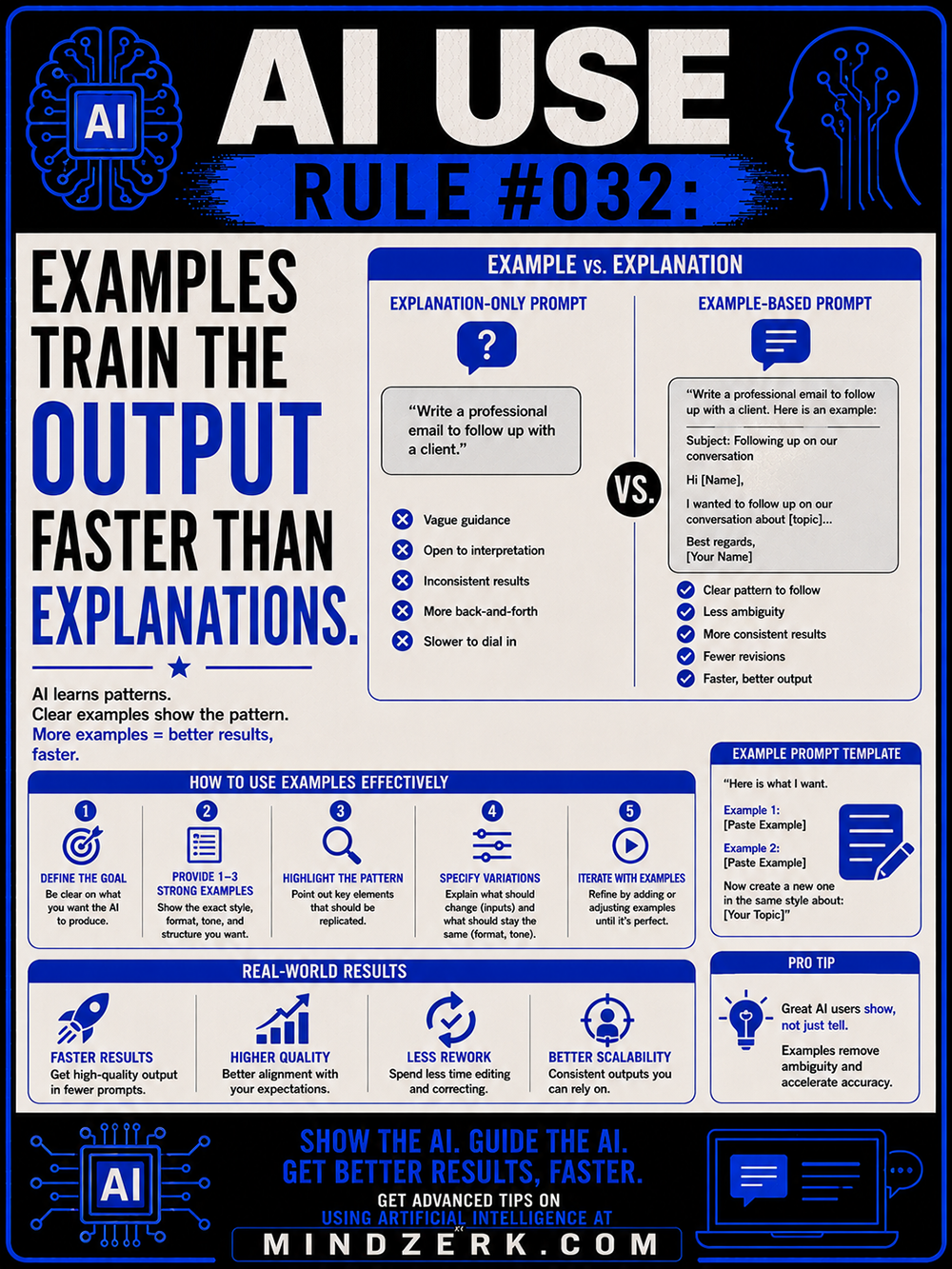
AI learns patterns faster from examples than from explanations.
If you want better results, stop only telling the AI what you want.
Start showing it.
AI Understands Patterns Better Than Intent
Humans are good at interpreting vague communication.
AI is not.
When you say:
“Write something professional.”
That could mean:
- corporate
- casual
- concise
- persuasive
- technical
- friendly
- aggressive
- formal
Your brain already knows what you mean.
The AI doesn’t.
Examples close the gap between:
- what you imagine
- and what the AI produces
That’s why example-based prompting gets dramatically better results.
Why Examples Work So Well
Examples provide:
- tone
- structure
- formatting
- pacing
- style
- expectations
- context
All at once.
Instead of explaining every tiny detail manually, you give the AI a pattern to replicate.
That reduces:
- ambiguity
- revisions
- confusion
- back-and-forth prompting
And it speeds everything up.
The Difference Between Weak and Strong Prompting
Weak Prompt
“Write a professional client follow-up email.”
The AI has to guess:
- tone
- format
- length
- personality
- style
- audience expectations
That creates inconsistent output.
Strong Prompt
“Write a follow-up email similar to this example:
Subject: Following up on our conversation
Hi [Name],
I wanted to follow up on our discussion about [topic]…Keep the same tone and structure.”
Now the AI has:
- a template
- a communication pattern
- structural guidance
- tone alignment
Results improve immediately.
Examples Reduce Prompt Complexity
Ironically, many people overcomplicate prompts because they aren’t using examples.
They try to explain:
- mood
- pacing
- tone
- formatting
- voice
- structure
With giant paragraphs.
One good example often replaces hundreds of words of explanation.
That’s leverage.
The Best AI Users Build Pattern Libraries
Advanced AI users don’t constantly reinvent prompts.
They collect:
- winning outputs
- successful frameworks
- formatting templates
- tone examples
- headline structures
- content layouts
- coding patterns
- visual styles
Over time, this becomes a private training library.
That library becomes an advantage.
Because instead of starting from zero, they guide the AI with proven patterns.
Examples Work Across Almost Everything
This applies to:
- writing
- design
- coding
- marketing
- branding
- emails
- product descriptions
- social media
- workflows
- research
- automation
If the AI can see the pattern, it can usually reproduce the pattern.
The clearer the example:
- the faster the result
- the fewer revisions
- the higher the quality
How to Use Examples Effectively
1. Define the Goal
Know exactly what you want first.
Bad direction creates bad output.
2. Provide 1–3 Strong Examples
You usually don’t need dozens.
A few clear examples outperform massive explanations.
3. Highlight What Matters
Tell the AI:
- what should stay consistent
- what can change
- what style to follow
- what tone to maintain
Guide the pattern.
4. Specify Constraints
Examples work even better with limits:
- word count
- formatting
- audience
- tone
- structure
- platform
Constraints sharpen output.
5. Iterate With Better Examples
If results are close but not perfect:
- refine the example
- improve the pattern
- clarify the structure
Don’t just repeat the same weak prompt louder.
The Hidden Advantage: Speed
This rule matters because speed compounds.
Better prompting means:
- faster execution
- less editing
- less frustration
- more output
- higher consistency
People wasting hours fighting the AI usually have one problem:
They’re explaining instead of demonstrating.
Real-World Operator Move
A smart workflow looks like this:
- Generate one excellent output manually
- Save it
- Use it as the example forever
Now every future prompt improves automatically.
That’s how AI workflows become scalable.
Not through magical prompts.
Through reusable patterns.
AI Learns by Pattern Recognition
This is the part most people miss.
AI systems are fundamentally pattern engines.
Examples are pattern delivery systems.
The clearer the pattern:
- the better the alignment
- the more accurate the output
- the more reliable the workflow
Which means:
- less randomness
- less wasted time
- more predictable results
The Bottom Line
Vague prompts create vague output.
Examples accelerate alignment.
If you want AI to perform better:
- show examples
- provide patterns
- demonstrate expectations
- guide structure
- remove ambiguity
Don’t just tell the AI what you want.
Train the output by showing it what “good” looks like.
Because great AI users don’t simply prompt.
They provide direction through examples.