
Most people think logging out equals safety.
It doesn’t.
Logging out only closes a door.
It doesn’t secure the house.
If the system itself is exposed, your data is still sitting there—waiting.
Real privacy doesn’t come from access control alone.
It comes from separation.
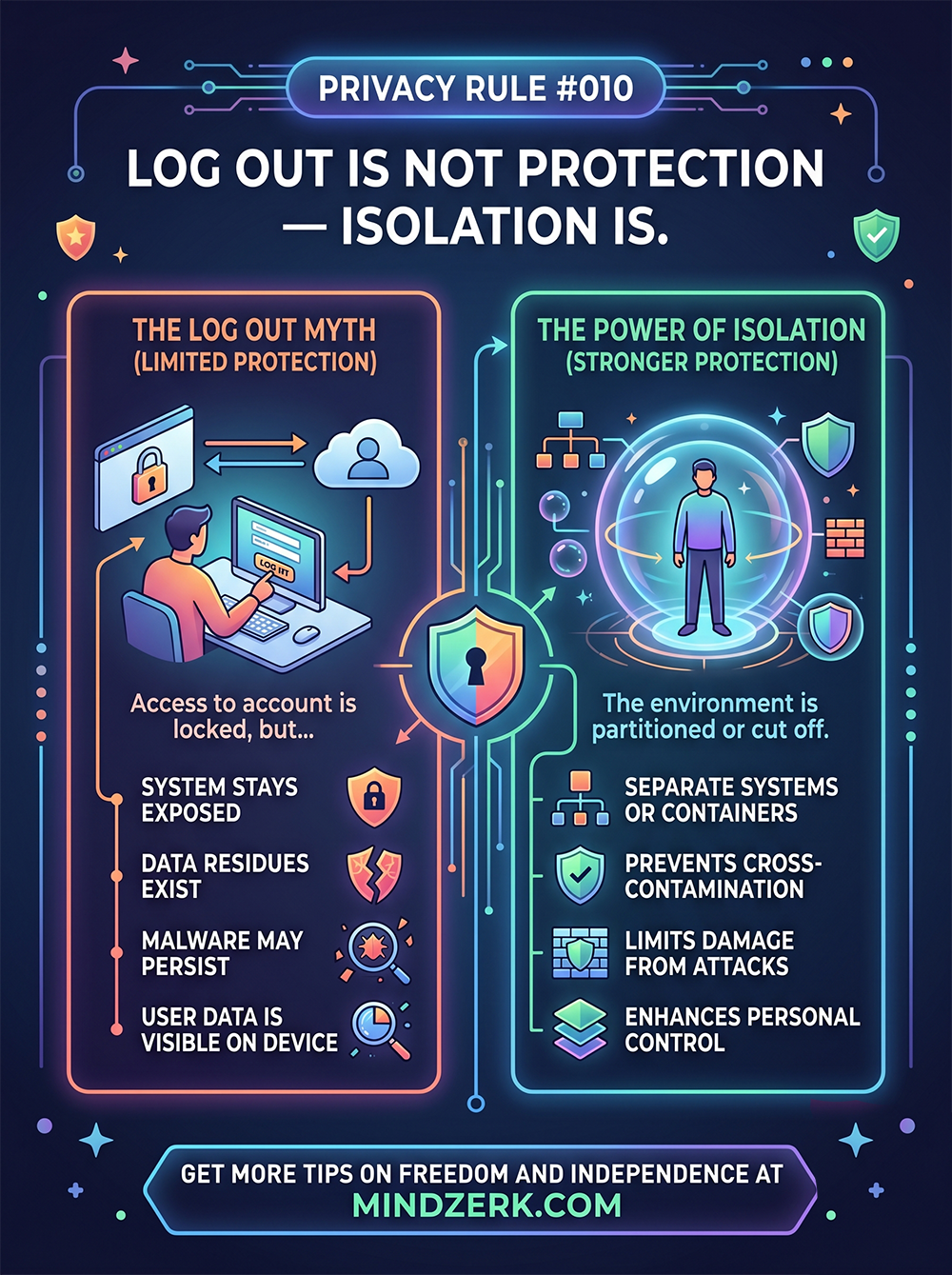
The Log Out Myth
Logging out gives a false sense of control.
Yes, it stops casual access.
But it does nothing for deeper risks.
Here’s what still exists after you log out:
- Cached data remains on the device
- Sessions may still be recoverable
- Malware doesn log out with you
- Files, cookies, and tokens can persist
- Other apps can still access stored data
You’ve locked the account.
But the environment is still open.
The Real Threat: Shared Environments
Most devices today are doing too much.
One device =
- Personal life
- Business operations
- Financial access
- Communication
- Content creation
That’s not convenience.
That’s risk concentration.
If one point fails, everything is exposed.
Isolation: The Upgrade Most People Ignore
Isolation means separating systems so they can’t contaminate each other.
Not just logging out.
Not just using strong passwords.
But creating boundaries that actually hold.
What Isolation Looks Like in Practice
You don’t need a lab.
You need separation with intent.
1. Separate Devices (Best Option)
- One device for personal use
- One for business
- One for sensitive operations (banking, accounts, etc.)
If one gets compromised, the others stay clean.
2. Use Dedicated Browsers or Profiles
If you’re limited to one machine:
- One browser for work
- One for personal
- One for financial access
Never cross them.
3. Compartmentalize Accounts
Don’t mix:
- Emails
- Logins
- Recovery methods
Each system should stand on its own.
4. Use Containers or Virtual Machines (Advanced)
For higher-level control:
- Run sensitive tasks in isolated environments
- Use virtual machines or sandboxed systems
- Treat each environment like a separate device
This limits spread if something goes wrong.
Why Isolation Works
Isolation does three critical things:
1. Prevents Cross-Contamination
If malware hits one environment, it doesn’t jump everywhere.
2. Limits Damage
A breach stays contained.
Instead of losing everything, you lose one segment.
3. Increases Control
You know exactly where things live.
No overlap. No confusion.
The Mindset Shift
Most people focus on locking doors.
Smart systems focus on separating rooms.
Because once something gets inside, locks don’t matter.
Structure does.
The Hidden Problem: Convenience
The reason people don’t isolate?
It’s slightly less convenient.
That’s it.
One login instead of many.
One device instead of three.
One system for everything.
But convenience is exactly what creates exposure.
A Simple Starting Point
You don’t need to overhaul everything today.
Start here:
- Separate your banking activity from everything else
- Create a dedicated browser for sensitive logins
- Stop mixing personal and business accounts
That alone puts you ahead of most people.
The Bottom Line
Logging out protects access. Isolation protects everything else.
If your systems are blended, you’re exposed.
If they’re separated, you’re resilient.
Final Thought
You don’t need perfect security.
You need containment.
Because in the real world, things break.
Isolation makes sure they don’t take everything with them.