
Every online account you create becomes another door into your digital life.
Some doors you use every day.
Others you haven’t opened in years.
The problem is that attackers don’t care whether you’ve forgotten an account.
If it still exists, it’s still a potential target.
That’s why:
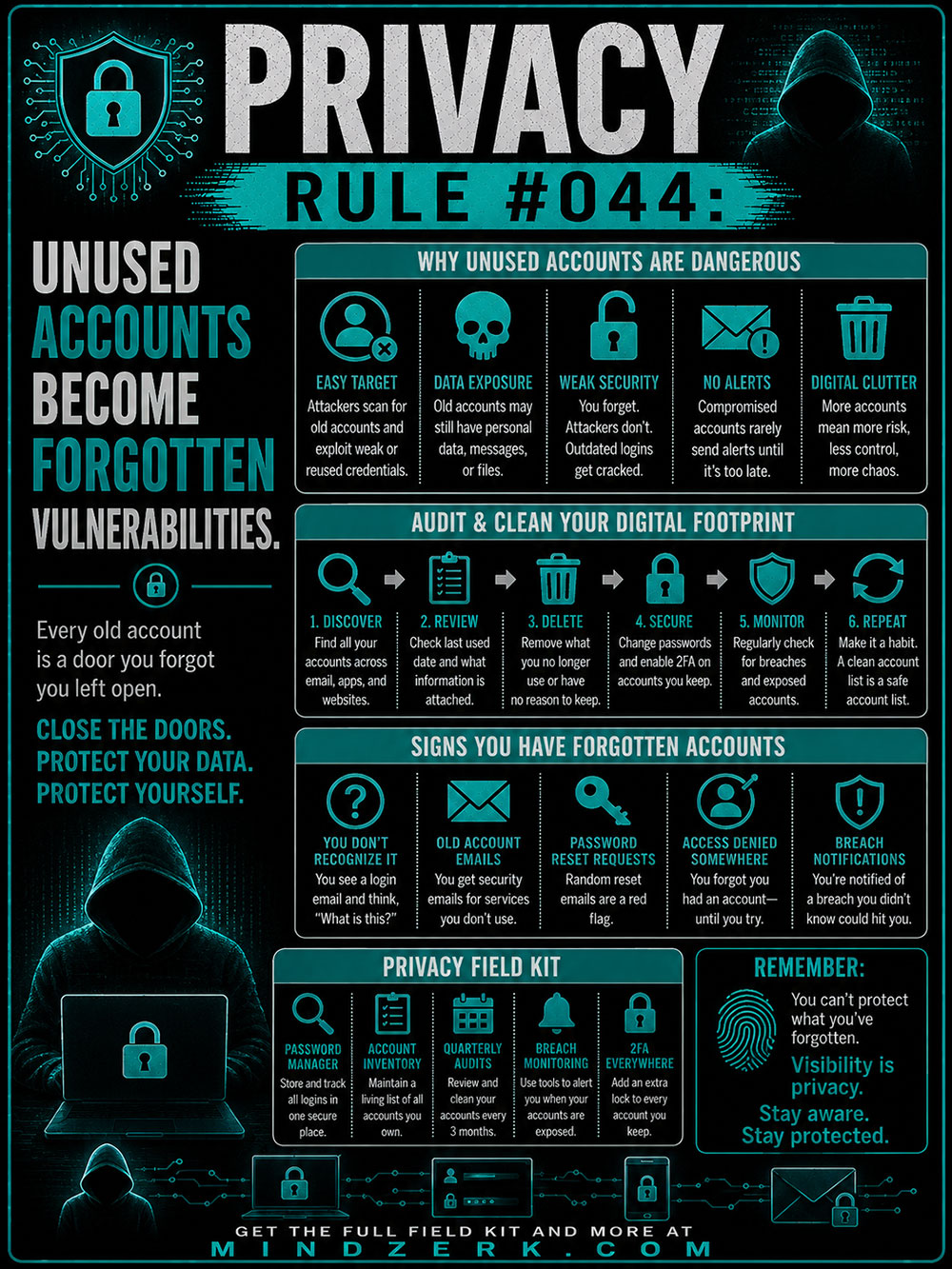
Every old account is a door you forgot you left open.
Close the doors.
Protect your data.
Protect yourself.
Why Old Accounts Are Dangerous
It’s easy to think an account stops mattering once you stop using it.
Unfortunately, that’s not how the internet works.
Old accounts often remain active for years.
They may still contain:
- Personal information
- Saved payment methods
- Private messages
- Photos and documents
- Connected applications
- Password recovery options
Even worse, you may not remember they exist until something goes wrong.
Every forgotten account increases your digital attack surface.
Easy Targets for Attackers
Cybercriminals routinely search for abandoned accounts.
Why?
Because forgotten accounts are often neglected.
They may use:
- Old passwords
- Weak security questions
- Outdated recovery email addresses
- No two-factor authentication
Attackers know that people regularly update the security on their primary accounts.
They also know forgotten accounts rarely receive the same attention.
Old Data Never Stops Being Valuable
Even if an account hasn’t been used in years, the information inside may still have value.
An old shopping account might contain:
- Your home address
- Phone number
- Purchase history
- Partial payment information
An abandoned forum account may reveal usernames you still use elsewhere.
An old cloud account could still contain documents or photos you thought were gone.
Information ages much more slowly than people expect.
Forgotten Security Is Weak Security
Technology changes quickly.
Passwords that were considered strong ten years ago may be trivial to crack today.
Old websites may never have upgraded their security.
Some services have experienced data breaches without users realizing it.
If you haven’t reviewed an account in years, don’t assume it’s still secure.
You May Never Receive a Warning
One of the biggest dangers of abandoned accounts is silence.
Compromised accounts don’t always send alerts.
Recovery emails may go to addresses you no longer monitor.
Notifications might be disabled.
The first sign of trouble may come long after your information has already been exposed.
Digital Clutter Creates Risk
Many people organize their physical homes better than their digital lives.
They clean closets.
Throw away broken equipment.
Shred old paperwork.
Yet they keep dozens—or hundreds—of online accounts they’ll never use again.
Digital clutter creates confusion.
Confusion creates vulnerability.
The fewer accounts you maintain, the easier they are to secure.
Audit and Clean Your Digital Footprint
Protecting yourself doesn’t require expensive software.
It requires visibility.
A regular digital audit can dramatically reduce unnecessary risk.
1. Discover Your Accounts
Start by making a list.
Look through:
- Email inboxes
- Password managers
- Browser password storage
- Old welcome emails
- Purchase confirmations
You’ll probably find accounts you forgot existed.
2. Review Each One
For every account, ask:
- When did I last use this?
- Does it contain personal information?
- Is it still useful?
- Is it connected to anything important?
Not every account deserves to stay.
3. Delete What You No Longer Need
If an account serves no purpose, remove it.
Deleting unused accounts reduces:
- Personal data exposure
- Attack opportunities
- Digital clutter
- Future maintenance
If deletion isn’t possible, remove as much personal information as you can.
4. Secure the Accounts You Keep
For accounts that matter:
- Change old passwords.
- Use unique passwords for every service.
- Enable two-factor authentication.
- Update recovery information.
- Remove unnecessary connected apps.
Treat active accounts like valuable property.
5. Monitor for Breaches
Data breaches happen.
Sometimes years after an account was created.
Use breach-monitoring services and regularly check whether your email addresses have appeared in known leaks.
Early awareness gives you time to respond before attackers do.
6. Repeat Regularly
Digital hygiene isn’t a one-time project.
Schedule a quarterly review.
A small amount of maintenance prevents years of accumulated risk.
Signs You Have Forgotten Accounts
Not sure whether you have abandoned accounts?
Some common clues include:
Login Screens You Don’t Recognize
You attempt to sign in somewhere and suddenly remember creating an account years ago.
Security Emails From Services You Never Use
Password reset messages or login alerts from unfamiliar websites often reveal forgotten accounts.
Random Password Reset Requests
Unexpected password reset emails can indicate someone is attempting to access an old account.
Never ignore them.
Access Denied
You know you had an account somewhere but can’t remember the username, email, or password.
That’s often a sign it’s been neglected for far too long.
Breach Notifications
Sometimes breach monitoring services reveal accounts you completely forgot existed.
Those discoveries are reminders to review your digital footprint.
Build Your Privacy Field Kit
A few habits make managing your digital life much easier.
Use a Password Manager
Store every login securely in one place.
Unique passwords become practical instead of overwhelming.
Maintain an Account Inventory
Keep a simple list of important accounts.
Knowing what exists is the first step toward protecting it.
Schedule Quarterly Audits
Every few months:
- Delete unused accounts.
- Update passwords.
- Review permissions.
- Remove unnecessary apps.
Small maintenance prevents major headaches.
Enable Breach Monitoring
Use services that notify you if your email addresses appear in leaked databases.
The sooner you know, the sooner you can act.
Turn On Two-Factor Authentication Everywhere
Even if a password is compromised, a second layer of verification can stop unauthorized access.
It’s one of the simplest and most effective security upgrades available.
Visibility Is Privacy
Many people focus on protecting the accounts they use every day.
That’s important.
But forgotten accounts often present the greatest risk because they’re invisible.
You can’t secure what you don’t remember.
Take time to clean your digital footprint.
Delete what you no longer need.
Strengthen what you keep.
Because privacy isn’t just about locking the front door.
It’s about finding every forgotten door—and closing it before someone else discovers it’s still open.
Stay aware. Stay protected.