
Every day, people waste enormous amounts of energy making tiny decisions.
What should I work on first?
Which email should I answer?
How should I format this document?
What should I post today?
Did I back up my files?
Did I follow up with that customer?
Should I organize these notes now or later?
Most people think productivity is about working harder.
It isn’t.
It’s about reducing the number of decisions you have to make.
That’s why:
Every decision costs energy.
Good workflows save it.
Great workflows eliminate it.
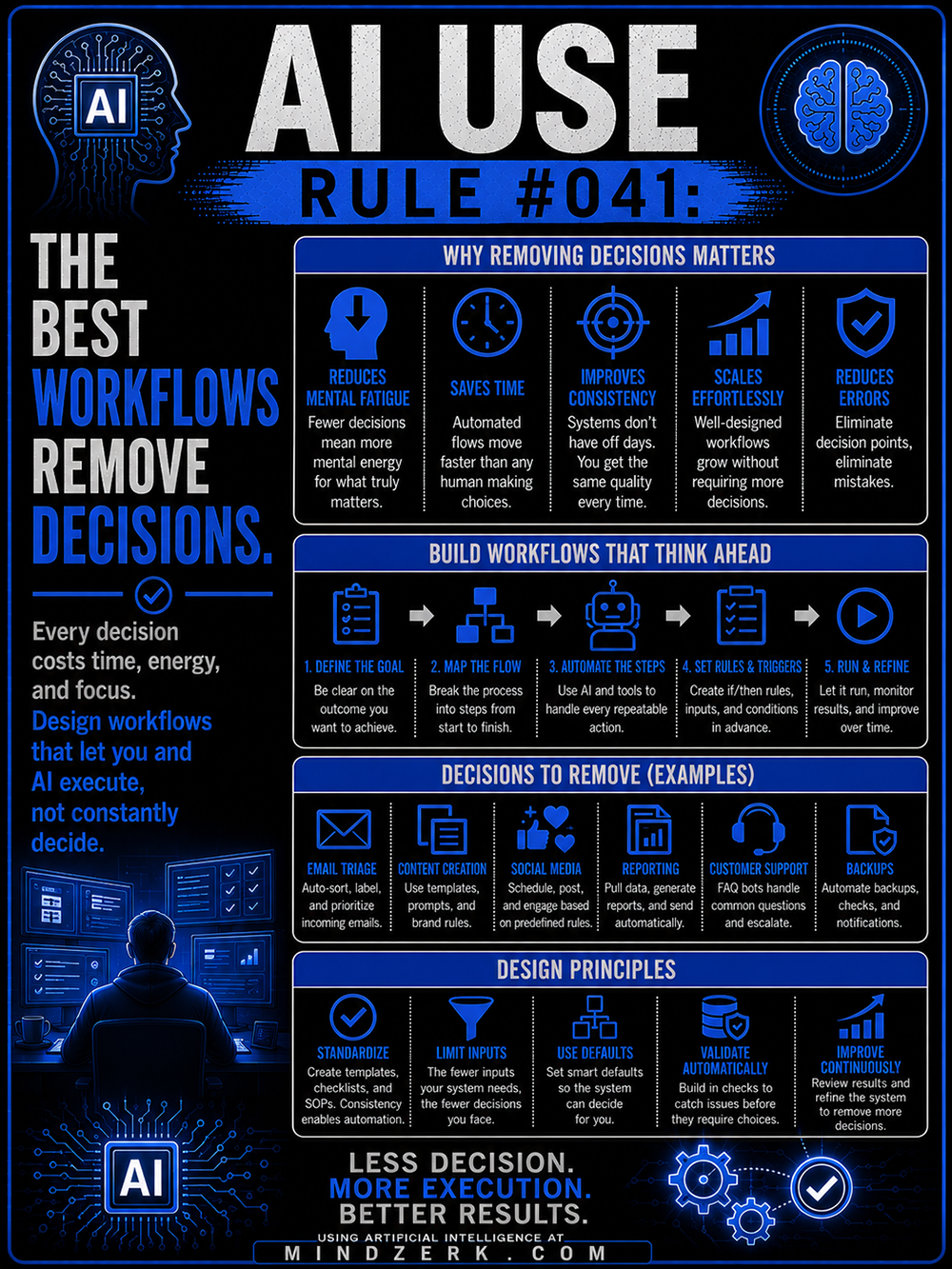
Why Removing Decisions Matters
Your brain has limited bandwidth.
Every choice you make uses a little bit of it.
Psychologists call this decision fatigue.
By the end of the day, even simple choices become harder.
That’s where systems and AI become incredibly valuable.
It Reduces Mental Fatigue
Think about brushing your teeth.
You don’t wake up wondering:
Should I brush today?
What toothpaste should I use?
Should I do it now or later?
It’s automatic.
Good workflows work the same way.
You simply execute.
The fewer trivial decisions you make, the more energy you have for important ones.
It Saves Time
Humans are surprisingly slow at repetitive choices.
Should this email go here?
What template should I use?
Which file folder?
What subject line?
AI can make these routine decisions almost instantly.
Automation keeps work moving while you focus elsewhere.
It Improves Consistency
Humans have off days.
We’re tired.
Distracted.
Busy.
Stressed.
Good workflows don’t care.
The process stays the same.
AI doesn’t forget steps.
Checklists don’t skip tasks.
Templates don’t have bad moods.
Consistency often beats brilliance.
It Scales Easily
If your business depends on constant decision-making, growth becomes difficult.
More customers means more choices.
More products means more management.
More work means more stress.
A workflow that removes decisions can grow without creating chaos.
It Reduces Errors
Many mistakes happen because people make rushed decisions.
Forgot a file.
Missed a step.
Skipped a backup.
Sent the wrong version.
Automated systems catch many of these problems before they happen.
Build Workflows That Think Ahead
The goal isn’t to automate everything.
The goal is to automate predictable decisions.
Step 1: Define the Goal
Start with the outcome.
What are you trying to accomplish?
Publish articles?
Answer customer questions?
Generate reports?
Manage projects?
Be specific.
AI works best with clear objectives.
Step 2: Map the Process
Write down every step.
Start.
Middle.
Finish.
Don’t optimize yet.
Just observe.
You’ll often discover unnecessary decisions hiding inside the workflow.
Step 3: Automate Repetitive Steps
Ask yourself:
Does this happen repeatedly?
Does it follow rules?
Does it require creativity?
If it follows rules, AI can probably help.
Sorting.
Categorizing.
Formatting.
Summarizing.
Scheduling.
Drafting.
These are perfect automation candidates.
Step 4: Set Rules and Triggers
Good workflows make decisions in advance.
If this happens…
Do that.
If customer A…
Send response B.
If article topic equals X…
Use template Y.
If file changes…
Create a backup.
The more rules you establish ahead of time, the fewer choices you make later.
Step 5: Run and Refine
No workflow is perfect.
Watch what works.
Notice bottlenecks.
Remove unnecessary steps.
Add new automations.
Simplify constantly.
A good workflow evolves.
Decisions AI Should Handle
AI shines when work is repetitive.
Email Management
Sort messages.
Prioritize inboxes.
Draft replies.
Flag urgent requests.
Archive routine communications.
You decide what matters.
AI handles the sorting.
Content Creation
Generate outlines.
Create drafts.
Rewrite sections.
Format articles.
Repurpose content across platforms.
You provide the strategy.
AI accelerates execution.
Social Media
Schedule posts.
Generate captions.
Create variations.
Track engagement.
Maintain posting calendars.
Reporting
Collect data.
Build summaries.
Generate charts.
Prepare weekly updates.
Compile performance metrics.
Customer Support
Handle FAQs.
Route tickets.
Provide first responses.
Escalate unusual situations.
Humans solve complex problems.
AI handles routine requests.
Backups and Monitoring
Automate file backups.
Check system health.
Track inventory.
Send reminders.
Generate notifications.
Simple maintenance prevents expensive failures.
Design Principles That Remove Decisions
Building good workflows requires discipline.
Standardize Everything
Create templates.
Checklists.
SOPs.
Brand guides.
Prompt libraries.
Document formats.
Consistency creates automation opportunities.
Limit Inputs
Too many choices slow everything down.
Five templates are easier than fifty.
Three tools beat twenty.
Simple systems outperform complicated ones.
Use Smart Defaults
Create preferred settings.
Default file names.
Default email responses.
Default project structures.
The best option should happen automatically.
Validate Automatically
Build safeguards into the system.
Spell checks.
Duplicate detection.
Backup confirmations.
Quality control steps.
Catch mistakes before humans have to think about them.
Improve Continuously
Review workflows regularly.
Ask:
Can this step disappear?
Can AI handle this?
Can this happen automatically?
Can we reduce another decision?
Small improvements compound over time.
The Hidden Cost of Too Many Choices
Many businesses don’t fail because people work too little.
They fail because people think too much about routine tasks.
Decision after decision creates friction.
Friction creates delays.
Delays create stress.
Stress creates mistakes.
The goal isn’t to become robotic.
It’s to save your brain for work that deserves human attention.
What Humans Should Still Decide
AI should never replace judgment.
It should protect it.
Humans remain responsible for:
Strategy
Where are we going?
What matters?
What should we build?
Ethics and Values
Just because AI can do something doesn’t mean it should.
Humans provide accountability.
Relationships
Trust.
Leadership.
Negotiation.
Empathy.
Connection.
These remain deeply human strengths.
Creativity
AI can generate possibilities.
Humans recognize meaning.
Original ideas often come from experience and intuition.
Critical Thinking
Question assumptions.
Evaluate evidence.
Challenge conclusions.
Think independently.
Final Decisions
AI offers options.
Humans accept responsibility.
The last call should belong to you.
The Off-Grid Lesson for AI
There’s an interesting parallel between off-grid living and AI.
Successful off-grid systems remove repetitive work.
Rainwater collection.
Solar charging.
Gravity-fed water.
Automatic battery management.
These systems quietly do their jobs every day.
AI should work the same way.
Quietly.
Reliably.
In the background.
Handling repetitive tasks while you focus on what matters.
You don’t want to spend your life turning the same crank.
You want systems that free your attention.
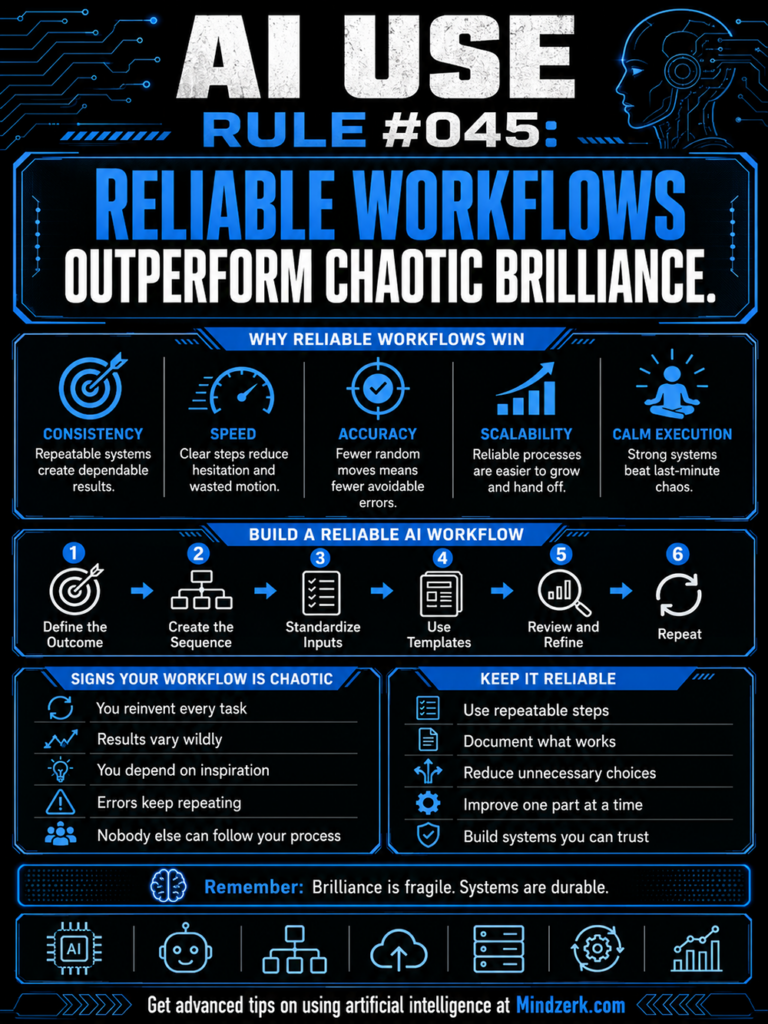
Less Decision. More Execution.
Many people think AI’s biggest advantage is intelligence.
It isn’t.
Its biggest advantage is consistency.
AI doesn’t get bored.
It doesn’t procrastinate.
It doesn’t forget.
It handles repetition remarkably well.
Humans, on the other hand, excel at wisdom.
Judgment.
Experience.
Creativity.
Ethics.
Vision.
The future isn’t AI replacing people.
It’s people building systems where each does what it does best.
Let AI handle the repetitive work.
Let humans handle the meaningful work.
Design workflows that remove unnecessary decisions.
Protect your mental energy for problems worth solving.
Because productivity isn’t about making more choices.
It’s about making fewer, better ones.
Use AI for speed.
Use humans for wisdom.
Build systems where both work together.
That’s how you create better results with less stress—and more time for the work that actually matters.